Yes. An alarm set in Apple's built in Clock app will sound even if your iPhone is on Silent, and it will sound through Do Not Disturb and every other Focus mode. This has been true for many years and it is deliberate. Apple treats an alarm as an explicit instruction from you at a specific time, which is a different category from an incoming call or a notification that somebody else triggered.
The confusion comes from a second, much messier question: whether a third party alarm app will do the same. Until recently the answer to that was usually no, and the reason is worth understanding, because it explains an entire decade of one star App Store reviews reading "did not go off".
Why the Clock app is different
iOS separates audio into categories, and the silent switch (or the Silent toggle in Control Centre on models without a physical switch) governs some of them and not others. Ringtones and notification sounds are muted. Media playback is not, which is why a video still has sound when you press play. Alarms are their own privileged category and are exempt from the switch entirely.
Focus modes work differently again. A Focus filters what is allowed to interrupt you: calls, messages, app notifications. It does not touch scheduled alarms. Sleep Focus in particular is designed to run overnight while your alarm is armed, so suppressing your alarm would defeat its purpose. If you have Sleep Focus enabled with a scheduled wake time, the Clock app alarm still fires.
Why third party alarm apps historically failed
Until iOS 26 there was no public API that let a third party app schedule a real system alarm. Developers who wanted to build one had two poor options.
The first was local notifications. You schedule a notification with a custom sound and hope it wakes the user. The problem is that a local notification is a notification, so it is muted by the silent switch and suppressed by Focus, and its sound is capped at 30 seconds. Someone who sleeps with their phone on Silent, which is most people, would get nothing at all. This is the single most common cause of a third party alarm not going off.
The second was keeping audio playing in the background all night so the app was alive and able to play a sound at the right moment. This burned battery, was fragile, and could be terminated by the system at any point.
Neither option was good, which is why the standing advice for years was to use the Clock app for anything you genuinely could not afford to sleep through.
What AlarmKit changed
iOS 26 changed this. A small number of apps can now schedule alarms that behave exactly like the Clock app: they break through Silent mode, break through Focus and Do Not Disturb, and sound at full alarm volume rather than a notification you could sleep through.
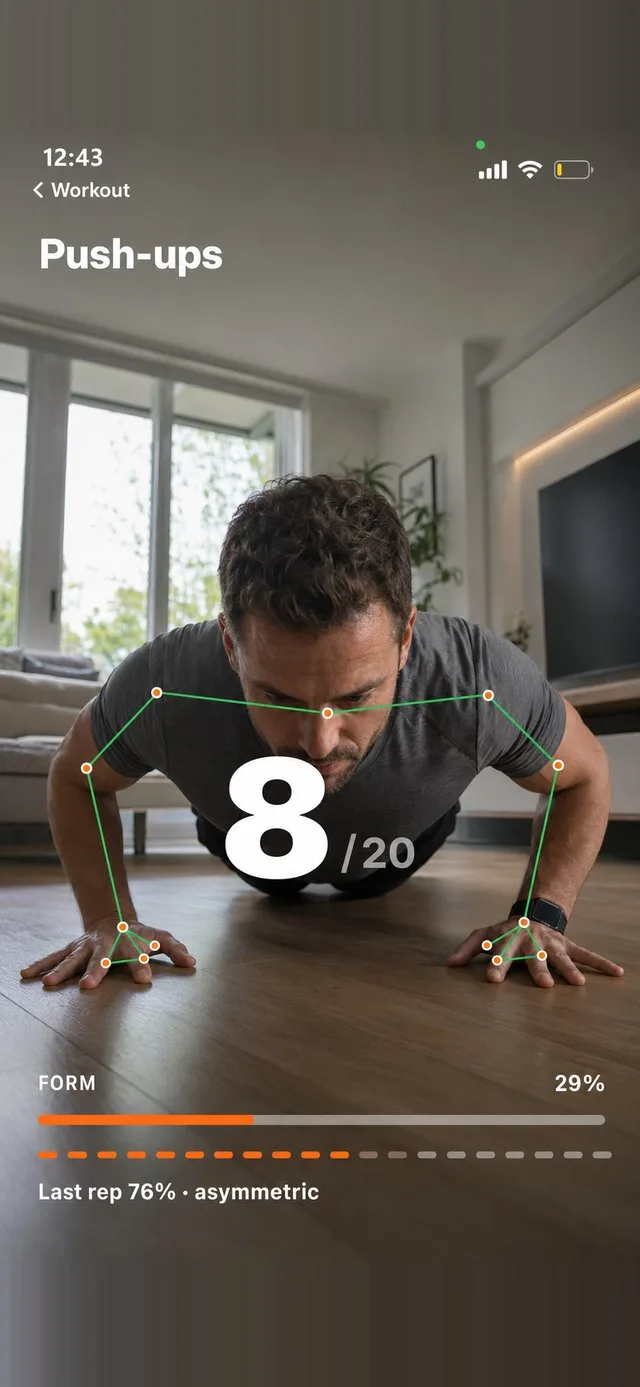
That reliability is what makes an app like FitClock possible. It rings through Silent mode and Focus the same way the Clock app does, and it will not stop until you have completed a set of exercise in front of the camera.
The practical implication when you are choosing an alarm app: check whether it requires iOS 26 or later. An app that supports older versions of iOS is almost certainly still relying on notifications for those versions, with all the limitations that carries. FitClock requires iOS 26.1 or later for exactly this reason. If you are weighing up options, our roundup of the best alarm apps for heavy sleepers goes through the trade-offs.
If an alarm app does not state clearly that it rings through Silent mode, assume it does not.
Troubleshooting an alarm that did not go off
If your alarm failed to wake you, work through these in order.
Check the alarm volume specifically
Alarm volume on iPhone is not the same as media volume. Go to Settings, then Sounds & Haptics, and look at the Ringtone and Alert Volume slider. That slider controls alarms. If it is dragged to the bottom, your alarm will vibrate and show on screen but produce almost no sound. Also check whether Change with Buttons is on, because if it is, the side buttons can lower that slider without you realising.
Check whether the alarm was actually enabled
Obvious, but it is the most common cause. A one-off alarm that has already fired switches itself off. Repeating alarms are only armed for the days you selected, so an alarm set to weekdays will not sound on Saturday. Open the Clock app and confirm the toggle is green and the repeat days are correct.
Attention Aware Features
On Face ID models, Attention Aware Features will lower the alarm volume if the phone detects that you are looking at it. This is intended behaviour, and normally helpful, but it can lead to an alarm that starts quietly. You will find the switch in Settings, then Face ID & Passcode, under Attention Aware Features. Turning it off means alarms always start at full volume.
Sleep Focus and the sleep schedule
If you use the Sleep schedule in the Health app, that schedule has its own wake up alarm, separate from any alarms you set manually in the Clock app. People sometimes edit one and expect the other to change. Check both. Also check that your sleep schedule is not set to a day pattern that skips the day you needed.
Low Power Mode
Low Power Mode does not stop alarms. It does reduce background activity, which historically affected notification based alarm apps, and it can affect background refresh. It has no effect on a Clock app or AlarmKit alarm firing.
Background App Refresh
For third party apps, check Settings, then General, then Background App Refresh, and make sure it is enabled for the app. Also check Settings, then Notifications, and confirm the app is allowed to notify and that Time Sensitive notifications are permitted where offered. AlarmKit based alarms are more robust than this, but permissions being switched off is still worth ruling out.
Headphones and connected audio
If Bluetooth headphones or a speaker are connected, alarm audio may route there instead of to the phone speaker. If you fell asleep with earbuds connected and they were then out of range or in a case, the sound may have gone nowhere useful. iOS generally plays alarms on the phone speaker as well, but a connected car system or speaker that is switched off can cause confusion.
Restart, then update
If everything above is correct and the alarm still failed, restart the phone and check for a software update. Alarm bugs have appeared in specific iOS releases before and were fixed in point updates.
The short version
- Clock app alarms ring on Silent. Always have.
- Clock app alarms ring through Do Not Disturb and every Focus, including Sleep Focus.
- Third party alarm apps built on notifications do not, because notifications obey the silent switch.
- Since iOS 26, a small number of apps do, FitClock included, because they schedule real system alarms rather than notifications.
- If an alarm fails, check the Ringtone and Alert Volume slider first. It is nearly always that.
If your problem is not that the alarm failed to sound but that you slept through it or dismissed it without waking, that is a different issue entirely, and the FitClock homepage explains the approach we take to it.
An alarm that actually sounds
FitClock uses AlarmKit, so it rings through Silent mode and Focus, and it will not stop until you move.
Get FitClock